
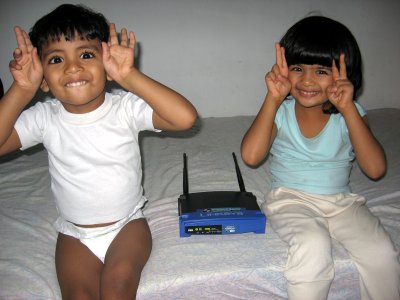
The kids were delighted that I bought something with “pointed ears” (I couldn’t explain the real purpose of those antennas to them…)
I finally got hold of my Linksys WRT54GL today. I connected it, did some preliminary tests with the Linksys firmware, confirmed that it did not work as a Wifi-Ethernet bridge out of the box, took a deep breath and started the flashing process with a new firmware developed by Thibor.
And it worked!
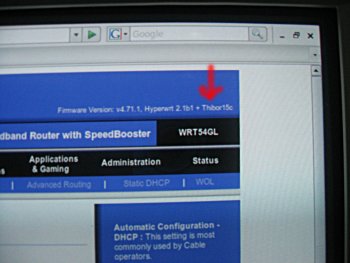
I promptly followed this to transform my WRT54GL into a brand new Wifi-Ethernet transparent bridge featuring a 4-port Ethernet switch!
The only thing that does not work is DHCP relaying. I had to assign static IPs to my PCs but this is a very very minor issue. Apart from that, the Linksys rocks and now I can browse the web from three different computers.
Life is cool :-)
gr8 pic! kids will b kids lol!! Managed to have a dld speed of a peak 251 kb/s wiv myT tnite, and it was like havin an average of 230 kb/s! thats quite sumfin koz i usually get a max of 40kb/s on a lucky day!! telecom + seems to b generous these days! long may it last lol! cheerz
The kids are so funny!!! Wonderful picture.
Thanks. And here also I am being spoilt by additional bandwidth :-)
hey thats a real cute picture..
this picture looks like..euh..2 kids who found an alien friend somwhr in the forest and took a picture..
Sundeep…shhhh!! reviz networks trankil!
hi nice blog
would you please explain how you assigned static ips to your pcs. I have a Myt connection too and I have a centrino laptop and a pc connected to the livebox using the sagem doongle.Is there any need to contact the guys at MT?
thanx
Hi,
The Livebox has as IP address 192.168.1.1 and can assign address from 192.168.1.10 to 192.168.1.50 to other computers using its DHCP server.
So just use an address outside this range (but in the same subnet) and you should be able to communicate. Don’t forget to specify the gateway AND the DNS server to 192.168.1.1
I use 192.168.1.100 and it works well…
Hi,
Am a regular visiter to your weblog… I just like linux but do not know much about it… we are trying to create a Mauritius Local Search Engine, we are still in test process do not know if its fine… if you can spare sometime to give us feedback… you are the only right person who can give better view about the site… url is http://www.tidodo.com
Thanks
Avinash, does this router have a USB port?
I’m looking into buying an Airport Extreme Basestation that would allow me to plug USB 2.0 devices into it for sharing.
If the Linksys has a USB port, it could be a cheaper alternative when flashed with DD-WRT.
Hi Eddy,
I’m afraid the router does not have a USB port. It only (?) has 4+1 Ethernet ports and the two Wifi antennas (one for B and one for G)