
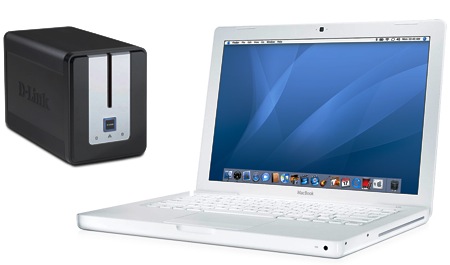
The D-Link DNS-323 NAS is great. It runs Linux, is infinitely tweakable and plays nicely with most devices I have at home including my MacBook, my Linux boxes and my Wii running MPlayer CE which I use to watch DivX on my TV.
The only problem I had was that the NAS only offered SMB (via Samba) out of the box which meant that some operations were somewhat slow when initiated from my MacBook. For instance, deletes were slow even though transfer speeds were great. After reading some posts online, I realised that the solution was to activate AFP (Apple Filing Protocol) as well as Multicast DNS (Bonjour) on the NAS. AFP is provided by Netatalk and Bonjour by Avahi.
Of course, to install new software on the DNS-323, you must have fun_plug properly activated.
Installing Avahi on the DNS-323
Install both with
funpkg -i libdaemon-0.13-1.tgz
funpkg -i avahi-0.6.24-1.tgz
2) Add an avahi user
groupadd -g 50 avahi
useradd -u 50 -g avahi -d /tmp -s /bin/false avahi
3) Create a startup script called /ffp/start/avahi.sh as shown here.
#!/ffp/bin/sh

# PROVIDE: avahi
# REQUIRE: SERVERS

. /ffp/etc/ffp.subr

name="avahi"
command="/ffp/sbin/avahi-daemon"
avahi_daemon_flags="-D -s"
required_files="/ffp/etc/avahi/avahi-daemon.conf /ffp/etc/avahi/hosts"

start_cmd="avahi_start"

avahi_start()
{
	# need avahi user and group for priviledge separation
	if ! grep '^avahi:' /etc/passwd >/dev/null; then
	        echo 'avahi:x:50:50:Avahi Daemon:/no/where:/bin/false' >>/etc/passwd
	fi
	if ! grep '^avahi:' /etc/shadow >/dev/null; then
	        echo 'avahi:*:14493:0:99999:7:::' >>/etc/shadow
	fi
	if ! grep '^avahi:' /etc/group >/dev/null; then
	        echo 'avahi::50:avahi' >>/etc/group
	fi

	proc_start $command
}

run_rc_command "$1"
4) Make the file executable so that avahi starts when the DNS-323 boots
chmod +x /ffp/start/avahi.sh
5) Create /ffp/etc/avahi/services/smb.service
<?xml version="1.0" standalone="no"?><!--*-nxml-*-->
<service-group>
        <name replace-wildcards="yes">%h</name>
        <service>
                <type>_smb._tcp</type>
                <port>445</port>
        </service>
</service-group>
6) Create /ffp/etc/avahi/services/http.service
<?xml version="1.0" standalone="no"?><!--*-nxml-*-->
<service-group>
        <name replace-wildcards="yes">%h</name>
        <service>
                <type>_http._tcp</type>
                <port>80</port>
        </service>
</service-group>
7) Create /ffp/etc/avahi/services/device-info.service (This changes the ICON shown in Mac OS X)
<?xml version="1.0" standalone="no"?><!--*-nxml-*-->
<service-group>
        <name replace-wildcards="yes">%h</name>
        <service>
                <type>_device-info._tcp</type>
                <port>0</port>
                <txt-record>model=RackMac</txt-record>
        </service>
</service-group>
8 ) Launch avahi
/ffp/start/avahi.sh
Installing AFP (netatalk) on the DNS-323
1) Get db42 and netatalk and install both with
funpkg -i db42-4.2.52-1.tgz
funpkg -i netatalk-2.0.4-1.tgz
2010-10-27: an important update courtesy of David:
It looks like netatalk-2.1.3-1 now requires db48-4.8.30-1 instead of db42-4.2.52-1. I installed db48 and removed db42, and I can connect to the DNS-321 via AFP without any problems, including over a reboot.
2) Create a startup script called /ffp/start/afpd.sh as shown here.
(Important update for Snow Leopard users: It seems that netatalk 2.0.4 does not work properly with Snow Leopard and provokes CNID errors. You should use the latest netatalk 2.1 and follow Ivan’s recommendations to start the cnid_meta daemon automatically for everything to work. Thanks Ivan!
Furthermore, according to Ole, /ffp/etc/netatalk/afpd.conf needs to be modified to have the following line (make sure that you have everything on one line):
"servername" -uamlist uams_dhx.so,uams_clrtxt.so
-setuplog "default log_info /ffp/var/run/afpd.log" -cnidserver
He says: “It is important to have the -cnidserver at the end. Dont know why, but it is.”)
#!/ffp/bin/sh

# PROVIDE: afpd
# BEFORE:
# REQUIRE:

. /ffp/etc/ffp.subr

name="afpd"
start_cmd="afpd_start"
stop_cmd="afpd_stop"
status_cmd="afpd_status"

afpd_start()
{
    /ffp/sbin/afpd
}

afpd_stop()
{
    killall afpd
}

afpd_status()
{
    ps -A | grep /ffp/sbin/afpd | grep -v grep
}

run_rc_command "$1"
3) Make it executable with
chmod +x /ffp/start/afpd.sh
4) Create /ffp/etc/avahi/services/afpd.service as show here.
<?xml version="1.0" standalone="no"?><!--*-nxml-*-->
<!DOCTYPE service-group SYSTEM "avahi-service.dtd">

<service-group>

<name replace-wildcards="yes">%h</name>

<service>
<type>_afpovertcp._tcp</type>
<port>548</port>
</service>

</service-group>
5) Use the “vipw” command and change some details for the default “nobody” user so that Mac OS X can use that user to log in.
nobody:x:501:501:Linux User,,,:/home/nobody:/ffp/bin/bash
Give a password to that user and store the password (in clear text) in the user’s home directory as shown here.
passwd nobody
cd /home
mkdir nobody
echo "secret" > nobody/.passwd
chown -R nobody: nobody
It is essential to store this user’s information in the flash memory of the DNS-323. Do this with:
store-passwd.sh
6) Modify /ffp/etc/netatalk/AppleVolumes.default to add the required shares. Mine looks like:
# The "~" below indicates that Home directories are visible by default.
# If you do not wish to have people accessing their Home directories,
# please put a pound sign in front of the tilde or delete it.
# ~

/mnt/HD_a2 Volume_1
/mnt/HD_b2 Volume_2
Notice that I have commented the ~ because I don’t want the user to have a home directory on the DNS-323. I only want to access Volume_1 and Volume_2.
7) Start netatalk
/ffp/start/afpd.sh start
Making Mac OS X Leopard play nice with Netatalk
To allow Leopard to connect to AFP shares with clear text (unencrypted) passwords, do as shown here:
# to be done on the Mac and not the DNS-323
sudo defaults write com.apple.AppleShareClient "afp_cleartext_allow" -bool YES
sudo defaults write com.apple.AppleShareClient "afp_cleartext_warn" -bool YES
Enjoy!
You can now connect to the DNS-323 from a Mac and get optimal performance. Phew. Linux is sooooo fun… for geeks like me :-)
5 November 2009 update: Instead of creating a new user, the existing user “nobody” is used. This allows the DNS-323 to be used through AFP and SMB transparently as SMB uses “nobody” by default. Interestingly, when the DNS-323 reboots, its /home directory starts anew and therefore will lack a /home/nobody directory (with its .passwd file) but this does not seem to trouble Mac OS X.
Great hack! :)
The DNS-323 looks like a great little NAS: flexible and affordable too. With AFP enabled, it could be a viable alternative to using Time Capsules over gigabit.
Apart from streaming videos and storing/sharing data, are you using it with Time Machine? Also, how’s the iTunes server and power consumption?
There are a lot of people using the DNS-323 with Time Machine and it works :-)
Personally I am not a Time Machine fan. I prefer knowing what files and directories I’m deleting ;-)
In fact, the DNS-323 has 2 hard disks which are normally used in RAID 1 configuration (mirroring.) Personally, I do not use them as a RAID 1 array. What I do is that I use one as a normal external drive (hosting most of my multimedia content including videos of the kids growing.) Then, once a week, I backup all of that drive to the second one using rsync. So I have two copies of most of my multimedia files on two separate hard disks in the same enclosure. I am planning of getting a similar-sized hard disk at work where I’ll do a backup, say, every month so that I have:
[MacBook] —- [HD1 on NAS] — [HD2 on NAS] — [HD at work]
Where did you buy it ?
I had to order one (as the DNS-323 was not available in Mauritius…) through a very reliable company I like dealing with: BBCWyse in Vacoas.
are you using a snow leopard or leopard with this DNS?
Some how i can’t get afp to work on Snow Leopard.
Hi, I use Leopard and everything works. I’ve not tried Snow Leopard with the DNS-323 though…
Hello avinash
Thanks for posting this.
I was able to follow the steps until I reached the “5) Use the “vipw†command…” step.
It would be nice if you could “clarify” this step.
Sorry if it is obvious, I’m totally new at this
Thanks
J
Trying to get this working with DNS-321. I’ve tried searching Network for my device and typing afp://mydevice with no luck.
The only error I get is:
useradd: unknown GID 1000
It seems to create the user fine though.
Does store-passwd.sh work with the DNS-321?
Anyone have an idea what i should check?
Hi JertoZ,
Maybe you don’t have vipw installed. In that case, use the normal vi:
vi /etc/passwd
I just finished setting up afp and now it wont let me sign in to the Volume (I was able to after avahi). I did everything to the T but It wont let me in, it just tells me “You entered an invalid username or password. Please try again.”
I have a DNS-323 with one 750Gb hard drive, running 1.07 w/ funpack 0.5 and no other programs running(besides telnet). I am on a Mac Book Pro running Snow Leopard 10.6.2.
Any help is greatly appreciated.
Hi Ty,
Are you sure you did the
sudo defaults write com.apple.AppleShareClient “afp_cleartext_allow” -bool YES
sudo defaults write com.apple.AppleShareClient “afp_cleartext_warn” -bool YES
I am not 100% sure but I think there is also a problem when using Snow Leopard. I use Leopard personally… Have a look at http://macstuff.beachdogs.org/blog/?p=79
Avinash,
Thanks for the reply. I will have to try it again as I reformatted. But I think the problem was due to the fact that I was running in 64bit mode. oops :)
Can you explain this, as the web site “here” to me is having me do something different:
“Give a password to that user and store the password (in clear text) in the user’s home directory as shown here.
1.
passwd nobody
2.
cd /home
3.
mkdir nobody
4.
echo “secret” > nobody/.passwd
5.
chown -R nobody: nobody”
Also, am I really creating a “nobody” user with a password of “secret” or do I create a actual user name and password.
Thanks again.
The user “nobody” already exists by default. For instance, when one connects to the DNS-323 using SMB, it’s trough that user. We want, in fact, to reuse the same “nobody” user for AFP connections as well. For this to work, a cleartext password should be stored in /home/nobody/.passwd
Just redid everything, and it WORKS! The only thing that is different is the fact I’m running in 32 bit mode…go figure.
I’m glad :-)
I think I’ll keep Leopard for the time being… and only upgrade to Snow Leopard when really really needed.
Thanks for the AFP tips here. Side question from reading your description above. I have been trying to connect my Wii to my DNS-323 using Mplayer’s smb shares but am having no luck. I can connect to my SMB shares from my Mac and XP machines without issue. I did edit the smb.conf file as well.
Did you have to do anything differently in Mplayer’s smb.conf files?
Hi Bob,
I have a Wii too and, after having modified mplayer’s configs appropriately, it connects to the DNS-323 without any problem. Check the smb url.
Avinash, your procedure worked.. except that I am not able to connect to the afp share from dns 323 thru my snow leopard computer..
it works if I re-define in my AppleVolumes.default to say mnt/HD_a2/subfolder Volume_1.. where subfolder is any subfolder within Volume_1… but it doesn’t seem to work for just Volume_1.. because of which I can access only one sub directory under Volume_1 and not the other directories/files under the root Volume_1.
do you know why this happens? I have done everything outlined in your procedure above..
I think I may solved my problem.. AFP connection to Volume_1 fails due to the presence of certain hidden files under Volume_1.. namely the .AppleDB and .AppleDesktop and .AppleDouble Files.
these are hidden files and not readily visible unless you do an ls -a command..
once deleted.. it is able to connect with no problems.
Thanks for this wonderful procedure.
p.s. for creating the .service files I went to the actual forum to copy paste.. I think you may be missing a few lines in the starting line of the .service code.
I’m glad everything works now, Partha.
I’l check for the .service files… but, as far as I know, those are the exact same lines I’m using on my own DNS-323 and everything seems to work well.
Hello Avinash.. for example.. in the afpd.sh section.. the line “run_rc_command “$1″” is missing I believe at the end…
Also, if you compare this line “#
” as written by you .. to the document that is reffered here (from the dns 323 forum).. .. that one says..
notice the addition dashes after next to the *.
I am not even sure if affects it’s workings in anyway.. but for the longest time I had trouble making it work when I simply copy pasted your code… could be because of the lines as I mentioned above.. or could be also because of the fact that the RED colored words in your code above when pasted, puts in a “b” (for bold I guess) next to the word automatically, thus causing an error.
This time I followed your procedure.. but went to the original referenced sites to copy and paste it on to my device files.. and it worked wonderfully.
I don’t mean to be picky.. I can’t thank you enough for putting this thing together and making our lives so much easier. AFP is proving to be much superior to samba (even the latest samba).. especially when using Plex or xbmc.
thank you.
“”Also, if you compare this line “#
†as written by you .. to the document that is reffered here (from the dns 323 forum).. .. that one says..
notice the addition dashes after next to the *.””
sorry, some lines didn’t get in when I posted this comment…
what I am highlighting above is the comparison between the lines
(the first line in the .service files which begins with xml).. to the first line in the .service file as written in the dns 323 forum... there are additional dashes in the xml line (first line) of the .service code as shown on the forum.
Man, to ene boss, mo pou seye sa taler, Mo ti p liter depi dns wiki mais to explication paret plis simple :)
Thanks a lot Partha.
You’re right. There was a run_rc_command “$1″ missing in afpd.sh and, for some reason, WordPress was transforming my double dashes into one single long dash…
Thanks for taking the time to point out those to me. As you can see, I’ve corrected the mistakes.
I can’t seem to download netatalk from the above link. I get a 404 not found. I downloaded it from sourceforge but the package doesn’t install because it says that ffp is not in the package. I’m not a linux/unix guru so I could use a little help.
Thx.
Never mind… I found 2.0.5-1 in the directory. Thx
I’m having some problems with your afpd.sh and avahi.sh scripts running correctly. I’m using a 321, so that could be part of it… or that I know nothing about scripting.
The problem appears to be in the PROVIDE and REQUIRE lines. The message I get in the ffp.log is:
* Running /ffp/etc/rc …
rcorder: requirement `SERVERS
‘ in file `/ffp/start/avahi.sh’ has no providers.
rcorder: requirement `
‘ in file `/ffp/start/afpd.sh’ has no providers.
I’m really not sure what this means since I don’t understand what role those lines play in the script. I do know the process never starts, and the problem is in the same part of the script if I try to run it from command line.
Hi Bearinator,
Make sure the quotes in the two files are single quotes ‘ and not backticks `. Sometimes, things get mixed up when doing copy paste.
Avinash,
Thanks for the help. This didn’t work though — the quotes are single quotes and not backticks. Any other ideas?
What exact error message are you having?
Above is the message that is given in ffp.log. If I try to launch the script from command prompt I get:
sh avahi.sh start
: not foundine 2:
: not foundine 5:
avahi.sh: .: line 6: can’t open /mnt/HD_a2/ffp/etc/ffp.subr
sh afpd.sh start
: not foundne 2:
: not foundne 6:
afpd.sh: .: line 7: can’t open /ffp/etc/ffp.subr
I’ve checked permissions on everything (the scripts, ffp.subr, rc) and they’re all executable. I should add that I have a standard ffp 0.5 install.
My Full log file looks like this:
ln -snf /mnt/HD_a2/ffp /ffp
* Running /ffp/etc/fun_plug.init …
* Running /ffp/etc/rc …
rcorder: requirement `SERVERS
‘ in file `/ffp/start/avahi.sh’ has no providers.
rcorder: requirement `
‘ in file `/ffp/start/afpd.sh’ has no providers.
* /ffp/start/syslogd.sh inactive
* /ffp/start/SERVERS.sh inactive
* /ffp/start/portmap.sh inactive
* /ffp/start/unfsd.sh inactive
* /ffp/start/nfsd.sh inactive
* /ffp/start/ntpd.sh inactive
* /ffp/start/smartd.sh inactive
* /ffp/start/LOGIN.sh inactive
* /ffp/start/telnetd.sh inactive
* /ffp/start/svnserve.sh inactive
* /ffp/start/sshd.sh …
Starting /ffp/sbin/sshd
* /ffp/start/rsyncd.sh inactive
* /ffp/start/mysqld.sh inactive
* /ffp/start/mediatomb.sh inactive
* /ffp/start/kickwebs.sh inactive
* /ffp/start/lighttpd.sh inactive
* /ffp/start/inetd.sh inactive
* /ffp/start/dnsmasq.sh inactive
* /ffp/start/btpd.sh inactive
* /ffp/start/avahi.sh …
/ffp/etc/rc: line 45: /ffp/start/avahi.sh: not found
* /ffp/start/afpd.sh …
/ffp/etc/rc: line 45: /ffp/start/afpd.sh: not found
* OK
To be frank @Bearinator, I don’t know what’s wrong with your install. Maybe you should have a look at http://wiki.dns323.info/ and ask someone there… Sorry.
No problem, thanks for trying to help.
Hi Avinash,
Great guide! Thanks!
I’m using the DNS-343 & OS X.6.4. Also got Time Machine to work.
I’ve used db48-4.8.30-1.tgz & netatalk-2.1.1-1.tgz instead and it also works. Only issue is that I’ve to manually start /ffp/sbin/cnid_metad daemon every time the NAS is rebooted. Anyway to start automatically? Thanks.
Hi Ivan,
You should create a startup script — see part (3).
Thank you Avinash for pointing the right direction. WORKED!
Knew nothing about Linux before I got the DNS-343. It’s fun when you get things to work finally.
That’s excellent, Ivan. And, yes, Linux is soooooooo fun :-)
Strange or not ?
I did not make the last step “Making Mac OS X Leopard play nice with Netatalk” on my macbook (running snow leopard) and everything is running fine.
I must say that i did not undestand this step “Give a password to that user and store the password (in clear text) in the user’s home directory as shown here” (i mean the all process described on that external page)… and thus i only executed the command lines in the “grey window” under it (but maybe these command lines make what’s described between the quotes)
Am i wrong ? (dont shoot the newbie :-D )
There are subtle differences between Leopard and Snow Leopard. If your setup works, then congrats and have fun :-)
Hi avinash,
Thanks for the awesome guide! I got mine set up this evening. One question…
When I first got my Dlink I created a user “rob” that I’ve been connecting as. Now that I have AFP setup, and added a password for the “nobody” user, do I still want to connect as me, or should I actually use “nobody” and the password that I set? Or forget all of that and just connect as Guest? What happens to the files that were created as “rob”? Should I chown them to nobody?
Okay, maybe two questions: is there a way to prove that I’m using AFP and not SMB any longer? When I start up my Mac I see my NAS listed (with a nice new icon) but how do I know it’s not just falling back to using SMB? I can manually connect to afp://10.0.0.10 but how can I trust that when I automatically connect and just browse via the Finder that I’m getting the AFP goodness?
Thanks again!
Hi Rob,
I guess you’ll have to try by yourself to see if you can now access files previously created by “rob.” If not, then you should use chown. As for being sure you’re using AFP and not SMB, the easiest way is to see if you get the public_html (or something named similarly…) when clicking on the icon. If yes, you’re using SMB, unfortunately…
Hi Avinash
Thanks for an easy to follow guide.
Everything works fine until i reboot the first time. When I try to access my afp share (Volume_1) I get the following message:
“Message from server “servername”. Something wrong with the volume’s CNID DB, using temporary CNID DB instead. Check server messages for details. Switching to read-only mode.”
Latest log:
**** fun_plug script for DNS-323 (2008-08-11 ) ****
Wed Sep 15 13:57:16 GMT 2010
ln -snf /mnt/HD_a2/ffp /ffp
* Running /ffp/etc/fun_plug.init …
* Running /ffp/etc/rc …
* /ffp/start/syslogd.sh inactive
* /ffp/start/SERVERS.sh inactive
* /ffp/start/portmap.sh inactive
* /ffp/start/unfsd.sh inactive
* /ffp/start/nfsd.sh inactive
* /ffp/start/ntpd.sh inactive
* /ffp/start/LOGIN.sh inactive
* /ffp/start/telnetd.sh …
Starting /ffp/sbin/telnetd -l /ffp/bin/sh
* /ffp/start/sshd.sh inactive
* /ffp/start/rsyncd.sh inactive
* /ffp/start/mediatomb.sh inactive
* /ffp/start/kickwebs.sh inactive
* /ffp/start/lighttpd.sh inactive
* /ffp/start/inetd.sh inactive
* /ffp/start/avahi.sh …
Starting /ffp/sbin/avahi-daemon -D -s
Process 2693 died: No such process; trying to remove PID file. (/ffp/var/run/avahi-daemon//pid)
* /ffp/start/afpd.sh …
Starting /ffp/sbin/afpd
* OK
Im quite new to linux, so I might well have missed something obvious…
Thanks in advance!
Hi Avinash,
Thanks for the great guide! I am also seeing the exact same msg regarding CNID db. I am using snow leopard and dns-323. Any pointers? I googled for this error and it seems like some database is not being created.
Thanks!
People mention the same error here and here.
One possibility someone hinted at is that there is a problem with the .AppleDB file at the root of the volume. Try to delete it. Personally, I never had any CNID DB issue but I’m still using Leopard…
I tried again, and I worked, but with “guest” access.
I probably forgot to do something with “nobody”.
Then I reinstalled after a HDD swap, and I am back to user “nobody” with CNID error.
What is the added value using the “nobody” user, and what do I have to do (or not do) to get back to “guest” access.
Regarding the .AppleDB, I cant seem do find it. Have looked at the hidden files, but it does not show up.
I am using snow leopard as well.
Thank you in advance!
Mine is working great. And I have Leopard. Maybe Snow Leopard works differently. Can anyone help?
@oleaaj, I believe I had the same “CNID” error because I’ve installed an updated version of netatalk 2.1.*, Avinash’s was netatalk 2.0.*.
If you have, you need to start the cnid_metad daemon. I modified Avinash’s afpd.sh to include /ffp/sbin/cnid_metad
//In Avinash’s afpd.sh
afpd_start()
{
/ffp/sbin/afpd
/ffp/sbin/cnid_metad //added this line
}
It worked for me.
Thanks a lot for this, Ivan. I’ve updated the post accordingly.
I am addding a https.service using https._type and port 443 but it does not work, it does not show up in Safari (as the DNS-321 name shows)
Any ideas why? DNS-323/321 supports https to the web management page
I cannot find any info in announcig https services for bonjour . :(
I don’t much about HTTPS on the DNS-323/321 but it’s always tough to set up because of certificates etc. Personally I tend to use SSH tunnels. Anyone can help with HTTPS?
Actually, https is already working in my DNS321, so I log in securely to it. It’d be nice to see it being announced by Bonjour and popping up in under the bonjour menu in Safari, but I understand that Safari does not look for a https service via bonjour, instead, the server should announce http and redirect to https if the latter is available.
So a .service file may not be enough.
Just wanted to make another note that may help someone. I followed all the directions here, including Ivan’s recommendation and Ole’s afpd.conf change, but I could not get past the CNID errors. I finally looked at the afpd log (I think this was started as part of Ole’s change), and it kept spitting out db errors:
(E:CNID): dbd_rpc: Error reading header from fd (db_dir /mnt/HD_a2): Connection reset by peer
Since it appeared to be related to the header of the database, I thought that maybe it was due to the database version. Sure enough, looking at the packages, it looks like netatalk-2.1.3-1 now requires db48-4.8.30-1 instead of db42-4.2.52-1. I installed db48 and removed db42, and I can connect to the DNS-321 via AFP without any problems, including over a reboot.
I’m running 10.6.4, but I don’t have a Leopard machine to test, so I can’t verify if netatalk 2.1.3 with db48 will work on Leopard as well.
And as a bonus, it looks like it’s a little faster over AFP than SMB.
Thanks a lot, David! I’m going to update the post accordingly.
Hi Avinash,
I have been following your instructions but failed to edit the vipw. When I do it in terminal, i can see the nobody segment but i don’t know how to edit the entry. so i skipped that portion with the password. What i did was to create a user in the NAS config and then assigned it to group utmp. I was able to login using AFP but it always pointed me to an ftp labelled drive that has only 1.7mb. i don’t even see my volume. maybe i didn’t install AVAHI that’s why. Now i’m trying to install the AVAHI segment and i get error executing this line:
useradd -u 50 -g avahi -d /tmp -s /bin/false avahi
please help.
thanks :)
Hi Jingson,
What error are you getting? Is the UID of 50 already being used? In that case, you can use another UID, say 60, but just make sure to modify avahi.sh to reflect this…
Hi Avinash,
Thanks for replying. when i tried to execute the instruction below I got the message user already exists.
useradd -u 50 -g avahi -d /tmp -s /bin/false avahi
I’m also having problems changing this info in vipw.
nobody:x:501:501:Linux User,,,:/home/nobody:/ffp/bin/bash
When i execute vipw it shows me all the user ids. but i can’t seem to edit them in terminal after executing vipw. How do i use vipw exactly? sorry i know nothing about linux. should i just use echo instead?
for now when I connect to afp://xxx.xxx.xxx.xxx it points me to afp://xxx.xxx.xxx.xxx/ftp and it is not my volume. sorry for having lots of questions.
Hi Avinash,
when i look at my ffp log. I also notice there is an error.
Starting /ffp/sbin/avahi-daemon -D -s
Process 1808 died: No such process; trying to remove PID file. (/ffp/var/run/avahi-daemon//pid)
* /ffp/start/afpd.sh …
* OK
what does this mean?
thanks.
@Jingson
This is something I sometimes notice myself. Do this
* /ffp/start/avahi.sh stop
* rm -rf /ffp/var/run/avahi-daemon/
* /ffp/start/avahi.sh start
and tell me what you get. As for the avahi user already existing, I guess that you created the user before.
vipw is vi, the “standard” Linux text editor. If you don’t know vi, read http://www.eng.hawaii.edu/Tutor/vi.html
vi is a modal text editor. It starts in command mode. Press ‘i’ to get in insert mode, type your text, press escape to get back in command mode, type ‘:wq’ (that’s colon, w and q and enter) and everything should be fine.
@Avinash
Thanks for the help. i tried those instructions and i didn’t get any the same error messages. however, when i try to connect to afp://xxx.xxx.xxx.xxx the username password screen still pops up. I will then use the username “nas” i previously entered in the Dlink config and it’s password. It will allow me to go in a “ftp” volume with no files inside it. the folder size is also around 2MB only.
I still can’t access Volume_1.
btw, i was able to successfully edit the password file too and created the .passwd in the nobody folder. Though i notice that sometimes it gets deleted automatically when i reboot my NAS.
Did you try logging in with nobody and the password in the .passwd file? I don’t know if that will work but, I guess, you might always try…
Hi Avinash,
somehow my /home/nobody folder gets deleted every time i reboot.
This is normal, @Jingson, and should not normally be an issue…
Hi, if I am using wireless (no vpn), the command:
sudo defaults write com.apple.AppleShareClient “afp_cleartext_allow” -bool YES
does it mean that my afp passwords are sent in the clear, for anybody to sniff, when connecting?
Thank you for this guide
Probably… INHO, the probability of someone actually doing that is low though.
Please update the link of netatalk : http://www.inreto.de/dns323/fun-plug/0.5/extra-packages/All/ ;-)
Many thanks for the well-documented description. It works very nicely on a DNS-321 after rebooting the box (before, it insisted on continuing to link via samba regardless of the icon change to Apple server). I edited /etc/passwd with nano rather than vipw – I’m just more comfortable with nano than vi based on my own prior usage, and it sounds like others are not used to vi as an editor. My “hackintosh” logs in with nobody as user and works beautifully.
That’s great!
Everything is working through AFP (with user account nobody and a password) but I can’t seem to be able to connect through SMB anymore (with user nobody). Is there anyway I can use the same username & password combination for both AFP & SMB?
Hi Frank, I don’t know what might be wrong… SMB is provided by the default firmware so it should theoretically work.
Hi
I have followed your guide, and have managed to get AppleTalk and Avahi to work fine. I was mainly going to use the 323 for Time Machine backups. It works, but it’s still not quite 100%. what I lack is the ability to see the backup drive when I boot the mac from the Snow Leopard DVD. I have a disk connected to the AirPort base station, and it appears when I choose to run back to back when I started from the DVD. What does the AirPort connected disk do that the 323 w/Avahi and afp does not?
Isnt the AirPort basestation just another “computer” sharing a disk via Bonjour/Avahi? I have tried mounting the share from terminal.app when bootet from the SL DVD, but I just cant seem to get it right… I Like zero-config :-)
I’ve had lots of help getting this far, so if anyone has any advice on what I need to do from here, please speak slowly ;-)
Ohh… and If anyone knows how I can stop Time Machine from gobbeling up all availiable space on the share, please let me know.
I’m having a lot of problems getting my DNS 320 speaking on SMB and AFP with my Mac running 10.6.
In desperation I tried this and unfortunately they aren’t playing ball still. Pretty annoying considering the 320 is meant to have AFP support out of the box.
Any ideas why it might not be working?
Anyone? I don’t know anything about the 320…
I think it may have something to do with the DNS320 having older versions of Avahi and Netatalk installed as part of the firmware. I think if I can stop them running and use the versions installed through ffp instead then I might get somewhere.
Surely. Keep us informed on your progress. Thanks.
I finally go this set up, but I have a problem. I can access the APF network share on the DNS-321.
However, the first time I added a file to a folder the permission of the folder was changed to “no access” I have tried everything possible (FTP, OSX and SSH/Telnet) to fix this issue.
To complicate matters worse, when I tried to logon to SSH/Telnet with root, the system says that it does not recognize my password. I am completely stumped and would appreciate any help!
Anyone can help? I don’t have access to my 323 right now…
I’m using a DNS-343 (firmware 1.03) and OSX 10.6.8. Â I’ve followed all the instructions and everything seems to be fine, no funny errors anywhere or anything.
Unfortunately, the device still doesn’t show in Time Machine.
Any ideas where to look?
It works great, as for OSX lion you have to make some changes to your mac:
See:
http://trick77.com/2011/02/25/afp-broken-linux-based-nas-mac-os-x-lion-10-7/
Thanks for your tip :-)
Thanks for the tip. I got it working for my time machine on Snow Leopard :)
You’re welcome, Michael :-)
I’m still getting CNID DB error after following all the steps.
Everything works fine when I first follow thru the steps, but CNID DB problem showed up after I rebooted my NAS. Any idea?
I got this msg
Something wrong with the volume’s CNID DB, using temporary CNID DB instead. Check server messages for details. Switching to read-only mode.
How to read the server messages?
Any idea how to fix this?
Sometimes the files in the .AppleDB folder get corrupted on my NAS and the solution for me is then to delete the whole .AppleDB folder using the command line. This generally fixes errors. You could try this.
Tried a couple of times. Nope, deleting .AppleDB in all the /mnt/HD_* folders didn’t help… :(
I suppose you stopped afpd and avahi-daemon before doing that and started them afterwards. If yes, I don’t know why it’s not working. Anyone can help Michael?
Could this be the problem?
May 13 01:14:37.748050 afpd[25513] {dsi_tcp.c:212} (I:DSI): AFP/TCP session from 192.168.1.13:53129
May 13 01:14:37.751144 afpd[25513] {uams_dhx_passwd.c:107} (I:UAMS): dhx login: ooicl
May 13 01:14:37.769357 afpd[25513] {auth.c:270} (N:AFPDaemon): AFP3.3 Login by ooicl
May 13 01:14:37.817160 afpd[25513] {volume.c:2221} (W:AFPDaemon): volume “Volume_1” does not support Extended Attributes, using ea:ad instead
May 13 01:14:37.817958 afpd[25513] {volume.c:2221} (W:AFPDaemon): volume “Volume_2” does not support Extended Attributes, using ea:ad instead
May 13 01:14:37.833393 afpd[25513] {volume.c:2221} (W:AFPDaemon): volume “ftp” does not support Extended Attributes, using ea:ad instead
May 13 01:14:37.863759 afpd[25513] {volume.c:2128} (I:AFPDaemon): Volume /home/ftp use CNID scheme dbd.
May 13 01:14:37.864137 afpd[25513] {volume.c:2133} (I:AFPDaemon): CNID server: localhost:4700
May 13 01:14:37.869321 afpd[25513] {volume.c:2128} (I:AFPDaemon): Volume /mnt/HD_b2 use CNID scheme dbd.
May 13 01:14:37.869715 afpd[25513] {volume.c:2133} (I:AFPDaemon): CNID server: localhost:4700
May 13 01:14:37.903819 afpd[25513] {volume.c:2128} (I:AFPDaemon): Volume /mnt/HD_a2 use CNID scheme dbd.
May 13 01:14:37.904211 afpd[25513] {volume.c:2133} (I:AFPDaemon): CNID server: localhost:4700
May 13 01:14:39.913513 afpd[25513] {volume.c:2133} (I:AFPDaemon): CNID server: localhost:4700
May 13 01:14:39.990620 afpd[25513] {socket.c:157} (E:AFPDaemon): read: Connection reset by peer
May 13 01:14:40.016247 afpd[25513] {socket.c:157} (E:AFPDaemon): read: Connection reset by peer
May 13 01:14:41.036639 afpd[25513] {socket.c:157} (E:AFPDaemon): read: Connection reset by peer
May 13 01:14:42.091368 afpd[25513] {socket.c:157} (E:AFPDaemon): read: Connection reset by peer
May 13 01:15:00.037284 afpd[25513] {cnid_dbd.c:425} (E:CNID): transmit: Request to dbd daemon (db_dir /mnt/HD_a2) timed out.
May 13 01:15:00.037784 afpd[25513] {file.c:264} (E:AFPDaemon): Reopen volume /mnt/HD_a2 using in memory temporary CNID DB.
dbd daemon connection timed out…
I found this…
“However, the real trick seems to be to compile with libdb4.7, which is 4.7.25-9 on my system. From limited testing thus far, Netatalk operation seems normal with libdb4.7.”
http://sourceforge.net/mailarchive/forum.php?thread_name=AANLkTindU-Cwym-5KtLp22Q4870juxnSAAr0Afov9UXY%40mail.gmail.com&forum_name=netatalk-admins
You’re on the right track I guess. Anyone who had a similar error message and who managed to find a solution?
I gave up and downgraded from ffp 0.7 back to 0.5 and Time Machine managed to backup. I can now access without CNID problem.
I am just wondering if anyone installed any CalDAV and CardDAV server on DNS323? I wish to share contact and calendar with family members. Something like http://trac.calendarserver.org/ or http://radicale.org/download/?
Thanks for keeping us updated, Michael. I don’t use the Calendar apps myself (I prefer Google Calendar)…
Looks like the DNS-323 wiki moved? I found a new host here: http://dns323.kood.org/howto:appletalk
PS: I am trying to get this to work with fun_plug 0.7
I am installing netatalk on a DNS-343 running firmware 1.04 and fun_plug 0.7. This means using the new “slacker” tool to install avahi and netatalk, as well as their prerequisites. In particular:
s:avahi-0.6.30-arm-1.txz
s:db5-5.2.36-arm-1.txz
s:libdaemon-0.14-arm-1.txz
s:libgcrypt-1.5.0-arm-1.txz
s:libgpg-error-1.10-arm-1.txz
s:libiconv-1.14-arm-1.txz (not sure about this one)
s:netatalk-2.2.2-arm-1.txz
I also create a new user (aside from root and avahi) with its own home directory, and saved the pwd per the instructions above…
I am making some progress, as I was finally able to authenticate from my iMac to my NAS via AFP. To do so, I had to use DHX2 module, which is configured in /ffp/etc/netatalk/afpd.conf by adding the following line (note the “…dhx2.so”
“servername” -uamlist uams_dhx2.so,uams_clrtxt.so -setuplog “default log_info /ffp/var/run/afpd.log” -cnidserver
However I am now running into the CNID access problem… :( I can see my home directory and Volume_1 , but neither has write access (read-only access due to CNID problem).
I’ll keep trying.
Nestor
Thanks for sharing and good luck :-)
I fixed the “Something wrong with the volume’s CNID DB” issue. It has something to do with cnidscheme, open you AppleVolumes.default, look for /mnt/HD_a2 Volume_1, line, change it to
/mnt/HD_a2 Volume_1 cnidscheme:tdb
tdb is another persistent CNID database, it’s Samba’s Trivial Database. It could be used instead of cdb for user volumes. This works for me, ‘last’ also worked, but, according to the links below, one is not supposed to use it unless it’s a carom volume. You can also try other options, they didn’t work for me.
check the following for details, CNUD backends section
http://netatalk.sourceforge.net/2.1/htmldocs/configuration.html#id2258038
http://netatalk.sourceforge.net/2.0/htmldocs/AppleVolumes.default.5.html
http://forums.freebsd.org/showthread.php?t=20324
The following is copied from AppleVolumes.default for your reference.
#cnidscheme:scheme -> set the cnid scheme for the volume,
# default is [dbd]
# available schemes: [dbd last tdb]
Thanks a lot. Bill. I’m sure a lot of people will benefit from your detailed explanation.
I am wondering if this tweak works with Lion as I have been reading some other forums that show there is problem with Lion using these NAS boxes as Time Machine backup devices.
I use Snow Leopard personally and the DNS-323 works great with it…
I got DNS323 working with fun_plug 0.7 on Mountain Lion Time Machine. I’m also using tdb backend like Bill@Yow. I just added a tm option at the end to make it show up at Time Machine.
/mnt/HD_a2 Volume_1 cnidscheme:tdb options:tm
Thanks Michael for taking the trouble to share your findings.
PLEASE HELP ME WITH BROKEN LINK PLEASE!
Hi;
First off, great writeup. In the past I managed to get this working, but then the NAS crashed, and I had to reset and start from scratch, second time, no dice. I’m no Linux expert by any stretch of the imagination, but I try!
The problem I’m having is modifying the “nobody” account to work appropraitely for netatalk. Specifically, trying to figure out what would be at :
http://www.blackmac.de/archives/58-Make-Netatalk-talk-to-Leopard-Mac-OS-X-10.5.html
Because that page is gone!